REC · TAKE 03 · SECTION 02

Record.
Present. Ship something
actually good.

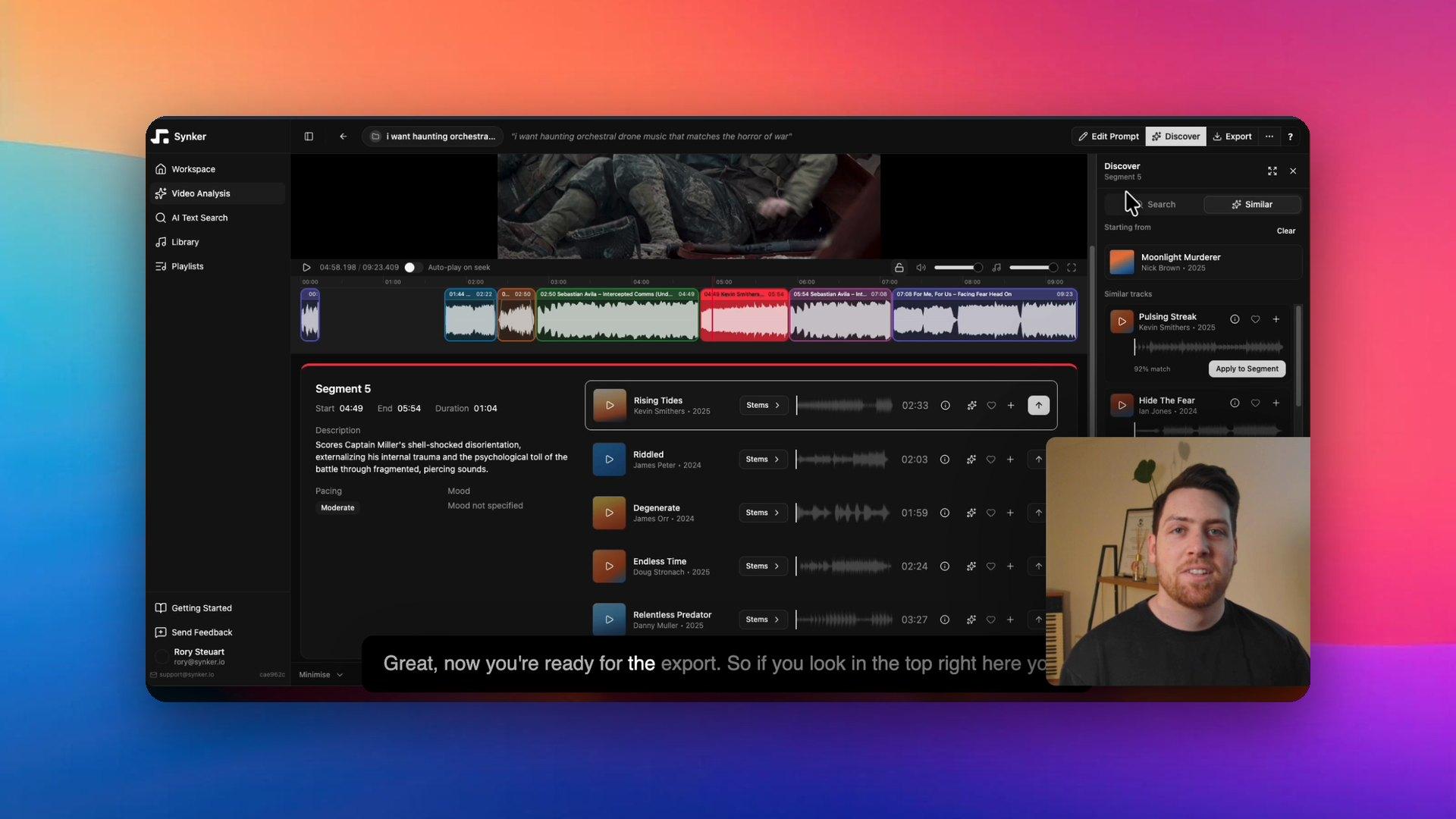
Reframe is the desktop studio for recording presentations that don't suck. Plan what you want to say, record takes until it sounds like you, and edit by editing the script. No browser tabs. No 47th re-record.

How it works

From blank screen to shipped.

01
GIF — Plan vs. Quick Record

Plan — or just hit record

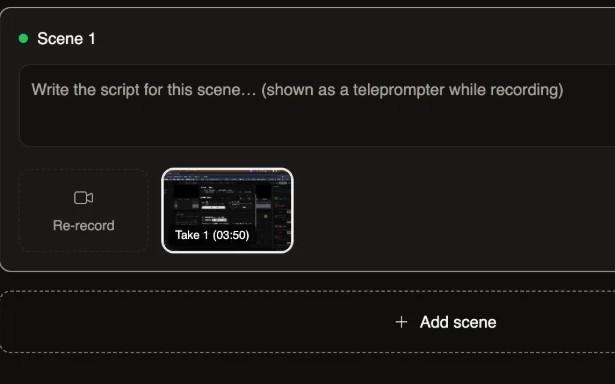
Script it section by section, or skip straight to recording. Either way works.

02
GIF — Camera & mic preview

Frame it, check your light & mic

See exactly how you look and sound before you’re rolling.

03
GIF — Auditioning takes
Most recorders don’t have this

Takes, not retakes

Flub a line? Just go again. Keep every take, pick your best per section.

04
GIF — Zoom, captions, export

Ship a video you’re proud of

Zooms, captions, music — polished on your best takes. Anxiety left behind.

Features — 16 total

A full studio. Not a screen grabber.

Every step — writing, recording, editing, polishing, exporting — happens in one app, on your machine. No round-trips through anyone’s cloud.

Recording

(04)

Takes, built in

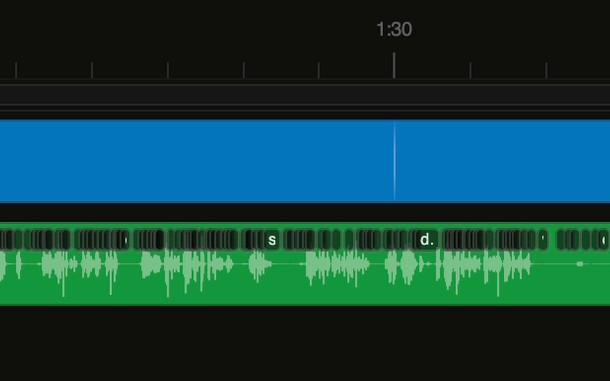
Record a section as many times as you want. Audition and swap takes on the timeline — no re-import, no re-sync, no rage.

Script & teleprompter

Write per-section scripts and the teleprompter follows your eyes, scrolling at your pace so you never lose your place or sound like you’re reading.

Total capture control

Full screen, one window, or a dragged area. Webcam picture-in-picture. Mic and system audio. All captured together, in one take.

One-key recording

The app fades out while you record and comes back with your footage loaded the instant you stop. No fiddly setup between takes.

Smart editing

(04)

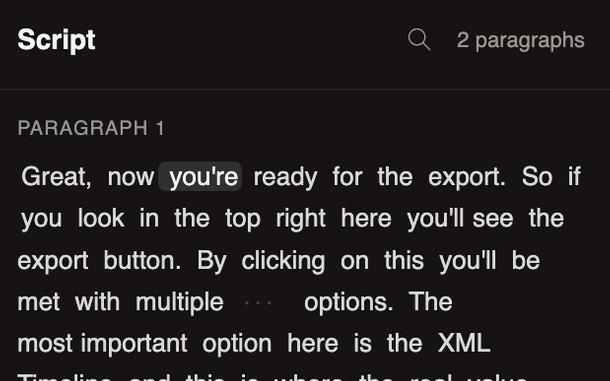
Edit the script, not the timeline

Delete a word in the transcript and the video cuts to match. Transcription runs on your machine — nothing leaves it.

Auto-placement

Takes fall onto the timeline as ordered sections, ready to trim, reorder, and comp together into one smooth read.

Remove silences & filler words

One click strips the "ums", "uhs", and dead air. Preview before you commit. Your delivery, tightened — but still you.

Auto-zoom & focus

The camera follows your cursor and zooms into what matters, with motion so smooth people think you hand-edited it.

Polish

(04)

Cursor customization

Size, smoothing, click effects, motion presets. Your cursor becomes a presenter, not a flea darting across the screen.

Backgrounds & layout

Wallpapers, padding, rounded corners, aspect-ratio presets for every platform — TikTok to YouTube to that Notion embed.

Music, effects & color grading

Score it, grade it, ship it. Royalty-free beds, sound effects, and cinematic LUTs baked right in.

Captions

Generated on-device, styled to match your vibe, burned in. Or exported as a sidecar SRT — your call.

AI cleanup

(02)

De-noise · De-breath · De-click

Studio-clean voice from a laptop mic. Mouth noise, breaths, and clicks vanish — no upload, no plugin chain, no audio engineering degree.

Eye-tracking teleprompter

It reads where you’re looking, so the script scrolls at your pace, pauses when you pause, and stays locked to your eyes — not the clock.

Agent editing

(01)

An AI agent can edit for you

Point Claude — or any MCP-compatible assistant — at Reframe and it can cut rambling, strip fillers, and add zooms through the same engine the UI uses. Fully local. More agent tools ship next.

Export

(01)

Hardware-accelerated MP4 & GIF

Fast, local, no render queue in someone else’s cloud. Your export usually finishes before the upload bar would have started.

Why Reframe

Not another browser tab.

Most screen recorders make you perform in one take. Most browser editors make you upload your life to their cloud. Reframe is a real studio that lives on your desktop.

" The fastest way to edit a video is to edit the words. "

vs. the slick zoom-only tools

Pretty zooms aren’t enough

A gorgeous zoom is table stakes. Reframe also handles the part that actually makes videos hard — scripting, takes, and your voice — so all that polish has something to polish. The zoom is the dessert, not the meal.

vs. browser tab studios

No upload. No RAM-eating tab.

No upload-wait-edit loop. No tab that quietly eats 4GB of RAM. Your footage, transcription, and AI cleanup all run locally — faster, private, and it works on a plane.

vs. clickable product-tour tools

For real videos, with a real you

Some tools make clickable product tours for sales decks. Reframe makes actual videos — with your voice, your face, your screen, your edits, your story. The kind a human watches on purpose.

the takes system

Nobody else treats retakes as a feature

Whether you’re a pro comping the perfect read or you get nervous on camera, takes mean the pressure is off. Every section gets your best delivery, not your only delivery.

Who it’s for — 03

Built for people who hit record.

01

For founders demoing products

Ship a polished demo video the same afternoon your feature lands. No editing team, no thirty-tool pipeline, no "let’s hop on a call."

02

For educators & course creators

Record lessons in takes. Tighten with transcript edits. Caption in one click. Repackage for every platform without re-recording.

03

For anyone who’s re-recorded 12 times

Takes mean the pressure is off. Hit record, deliver your line, do it again if you flubbed. The studio keeps the best one — you keep your sanity.

Privacy — on-device, always

Everything runs on your machine. Your unlisted demo stays unlisted.

Transcription, AI cleanup, export — it all happens locally. Your rough cut stays rough, in private, until you say so.

Download — Mac & Windows

Your best take is in there. Let’s get it out.

Download Reframe and start with your first section. The next one will go faster. By section five, you’ll forget you used to dread hitting record.

Free to try · No account needed